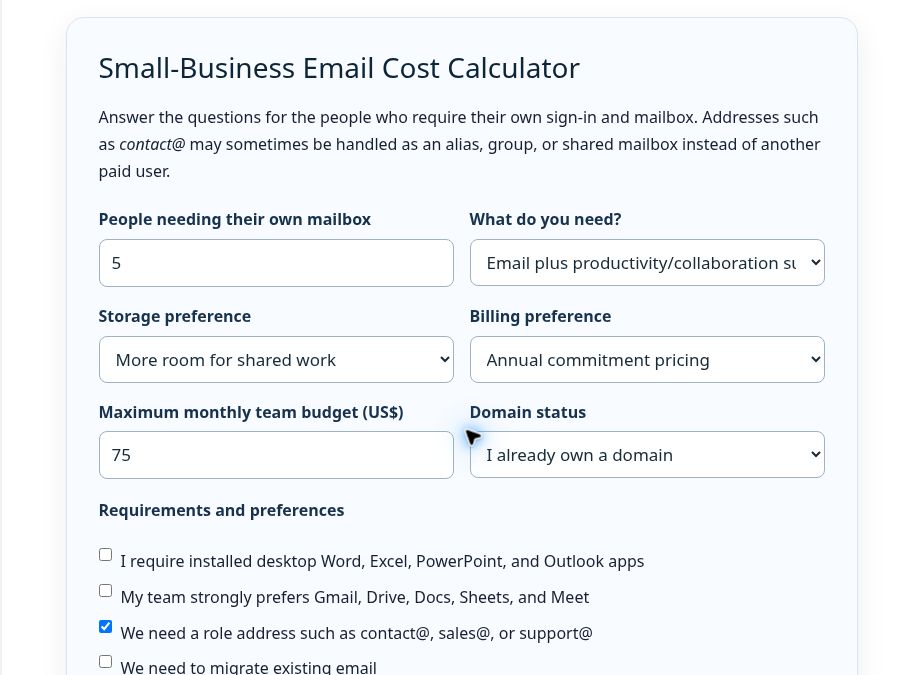
Quick answer: The right business-email setup depends on how many people need separate inboxes, whether you need a complete productivity suite, which collaboration workflow your team uses, and whether flexibility is worth paying more for. Use the selector below to compare qualifying plans. The cheapest result is shown separately from the best-fit recommendation.
Small-Business Email Cost Calculator
Answer the questions for the people who require their own sign-in and mailbox. Addresses such as contact@ may sometimes be handled as an alias, group, or shared mailbox instead of another paid user.
Verified plan comparison
This is a factual comparison of the plan data used by the calculator. Calculator totals are arithmetic estimates, while “best fit” is a rules-based recommendation from the requirements you select.
| Provider and plan | Annual-commitment price | Flexible/monthly price | Storage highlighted by provider | Desktop productivity apps |
|---|---|---|---|---|
| Google Workspace Business Starter | $7/user/month | $8.40/user/month | 30 GB pooled storage per user | No installed Microsoft Office apps; Google web/mobile collaboration suite |
| Google Workspace Business Standard | $14/user/month | $16.80/user/month | 2 TB pooled storage per user | No installed Microsoft Office apps; expanded Google suite |
| Google Workspace Business Plus | $22/user/month | $26.40/user/month | 5 TB pooled storage per user | No installed Microsoft Office apps; added retention/security features |
| Microsoft 365 Business Basic | $7/user/month | $8.40/user/month | 1 TB cloud storage per user; 50 GB mailbox | Web and mobile Office apps only |
| Microsoft 365 Business Standard | $14/user/month | $16.80/user/month | 1 TB cloud storage per user; 50 GB mailbox | Desktop, web, and mobile Office apps |
| Microsoft 365 Business Premium | $22/user/month | $26.40/user/month | 1 TB cloud storage per user; 100 GB mailbox | Desktop Office apps plus advanced security/device management |
| Zoho Mail Lite 5 GB | $1/user/month | Not offered monthly | 5 GB mail storage per user | Email-focused; no Microsoft desktop Office apps |
| Zoho Mail Lite 10 GB | $1.25/user/month | Not offered monthly | 10 GB mail storage per user | Email-focused; no Microsoft desktop Office apps |
| Zoho Workplace Standard | $3/user/month | $4/user/month shown by Zoho | 30 GB mail/user; team file storage starts at 100 GB | Zoho collaboration suite, not installed Microsoft Office apps |
| Zoho Mail Premium | $4/user/month | Not offered monthly | 50 GB mail plus 50 GB retention storage per user | Email-focused; no Microsoft desktop Office apps |
| Zoho Workplace Professional | $6/user/month | $7/user/month shown by Zoho | 100 GB mail plus 100 GB retention/user; 1 TB team files | Zoho collaboration suite, not installed Microsoft Office apps |
Important scope notes: Google and Microsoft business plans are capped at 300 users. Google storage is pooled across the organization. Microsoft’s 1 TB figure above is OneDrive cloud storage per user. Microsoft’s current Exchange Online limits list a 50 GB user mailbox for Business Basic and Business Standard, and a 100 GB user mailbox for Business Premium; archive and compliance entitlements remain separate licensing details. Zoho’s free plan is not included in calculator totals because it is available only in select data centers, lacks IMAP/POP/ActiveSync, and is not a dependable universal paid-plan substitute.
How the selector decides
- Lowest-cost qualifying option: the plan with the smallest calculated monthly team cost that satisfies the hard requirements and selected billing model.
- Best-fit option: a separate rules-based recommendation. Desktop Office requirements favor Microsoft 365 Standard or Premium; a strong Google workflow preference favors Google Workspace; email-only and tight-budget needs can favor Zoho Mail.
- Budget: plans above the entered monthly team budget remain excluded, but the results explain when no plan qualifies.
- Role addresses: this does not automatically add another paid seat. The provider’s alias, group, or shared-mailbox model determines whether the address has its own inbox and whether several people can work from it.
- Migration: adds a caution to verify supported source systems, scope, and administrator steps; it does not add an invented migration fee.
Aliases, groups, and shared addresses are not the same
An alias is another address that normally delivers into an existing user’s mailbox. It is useful when one person handles both their named address and a role address. It is not a separate sign-in or independent inbox.
A group can distribute messages to multiple members. Google Workspace and Zoho both support group-style addresses and aliases, but permissions and send-as behavior need configuration.
A Microsoft shared mailbox is designed for multiple licensed users to access a common mailbox and calendar. Microsoft states that a shared mailbox can hold up to 50 GB without its own license; the people accessing it need licensed Exchange Online mailboxes. Extra licensing is required for certain larger-storage, archive, hold, retention, or advanced-security scenarios.
Practical setup: from domain to a tested inbox
- Own or register the domain. Your domain is the part after the @ sign. It can be registered separately from your website host and email provider. If you are still choosing one, compare the real five-year domain cost, not only the first-year promotion.
- Choose the email provider and create the organization. Add the domain, create each real user, and decide whether addresses such as contact@ should be aliases, groups, or shared mailboxes.
- Verify domain ownership. The provider normally supplies a DNS record proving that you control the domain.
- Change MX records. MX records tell other mail systems where to deliver incoming mail. Use only the exact records supplied for your account and remove conflicting old MX records when the provider instructs you to.
- Add SPF and DKIM. These authenticate authorized sending systems. Copy the provider’s current values exactly; do not guess or combine SPF records without understanding the result.
- Migrate before canceling the old service. Keep the old mailbox accessible until messages, folders, contacts, and calendars needed by the business have been verified at the destination.
- Test both directions. Send from an unrelated external account to every public role address, reply from the new mailbox, inspect spam placement, and confirm that every intended team member can access or receive the message.
Website hosting and business email are separate decisions. Our guide to whether Namecheap hosting includes email explains the difference between bundled shared-hosting mailboxes, EasyWP, Private Email, and forwarding. For the wider product picture, see the Namecheap review. If you are deciding whether email should be bundled with hosting, compare EasyWP vs Shared Hosting.
Important tradeoffs by provider
Google Workspace
Best aligned with teams already committed to Gmail, Drive, Docs, Sheets, and Meet. Storage rises sharply between tiers, and flexible billing costs more than the annual/fixed-term rate. An alias is not a separate collaborative inbox, so role-address workflow needs planning.
Microsoft 365
Business Standard is the first plan in this comparison that includes installed desktop Word, Excel, PowerPoint, and Outlook. Business Premium adds security and device-management capabilities, not merely more familiar Office apps. Shared mailboxes are a meaningful advantage for team-managed addresses, but licensing conditions still apply.
Zoho Mail and Workplace
Zoho Mail Lite is the lowest verified paid email-only option in this comparison. Workplace adds Zoho’s office and collaboration applications. Mail-only plans have no monthly billing option on the checked US page, and Zoho’s productivity tools should not be treated as installed Microsoft Office applications.
Migration and verification checklist
- Inventory every paid user, alias, group, forwarding rule, shared mailbox, calendar, and public role address.
- Confirm whether the migration tool moves email only or also contacts and calendars.
- Record current DNS values before changing them.
- Lowering DNS TTL can help planned changes propagate sooner, but do it before the migration window and only if you understand the existing DNS setup.
- Do not cancel the old provider until inbound mail, outbound mail, replies, aliases, mobile access, and shared access pass testing.
- Recheck official pricing and plan eligibility immediately before checkout.
Official sources checked
- Google Workspace pricing and Google Workspace Admin documentation for Business editions, billing terms, aliases, groups, and migration.
- Microsoft 365 business pricing and Microsoft Learn documentation for licenses, shared mailboxes, limits, and migration.
- Zoho Mail and Workplace pricing and Zoho Mail Admin documentation for users, aliases, groups, limits, and migration.